Garmin R10 Golf Simulator Setup: Room Depth, Apps, Screen and Stand
Garmin R10 golf simulator setup: the room depth it needs, what the Garmin Golf app does, and which screen, enclosure and stand are worth buying.


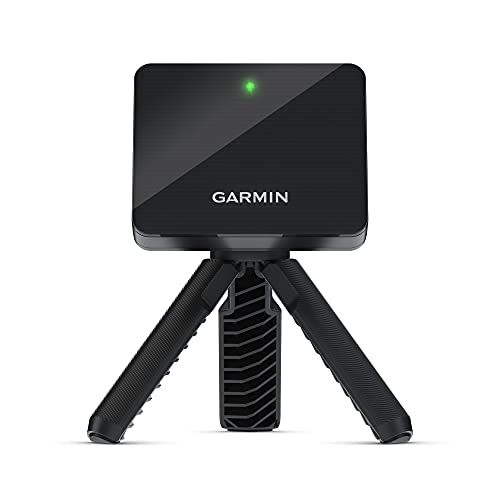
With 1,155 buyer reviews and a listing that promises virtual rounds on over 42,000 courses, the Garmin Approach R10 is the monitor a lot of people pick for a first home bay. Most setup trouble comes from one fact: it sits behind you, not beside the ball, so the room you need runs from the monitor, past the tee, all the way to the screen. Here is how to plan that room, which app does what, and which screen and stand are worth the money.
Affiliate disclosureAs an Amazon Associate we earn from qualifying purchases made through links on this page. Commissions never change our ratings.
How much room the R10 needs
Garmin's owner manual puts the R10 behind the ball: 6 to 8 feet between the monitor and the tee, and at least 8 feet from the tee to an indoor net.[1] Add those up and you get the number that decides everything, 14 to 16 feet (roughly 4.3 to 4.9 metres) from the monitor to the net or screen, before you count any gap the enclosure maker wants behind its screen.
That depth is the whole conversation. A single garage that is long but narrow can work; a wide, shallow spare room usually won't, however generous the ceiling. Width and height still count: you need a full, unobstructed swing for the tallest person who'll use the bay, with no light fitting or garage door track in the club's path. Garmin's indoor cautions say the same thing in plain terms: an unobstructed swing, containment that covers stray shots, space behind the net or screen, and padding over exposed frames.[1]
Our advice before you spend a cent: put a strip of tape where the tee goes, then mark 6 and 8 feet behind it and 8 feet in front. If those marks fit with room to swing a driver, you're in business. The indoor launch monitor space guide walks through the rest of the floor plan.

Garmin R10 apps: what runs it and what costs extra
Everything you see from the R10 comes through the Garmin Golf app on a compatible smartphone; the listing pairs every feature with it. Out of the box that means club head speed, ball speed, swing tempo, ball spin, launch angle and more, a training mode that keeps stats for each club and draws a shot dispersion chart based on estimated ball flight, and short swing videos recorded automatically with the numbers of that swing attached. For a winter of range sessions into a net, that's already a lot.
The simulator part is where the subscription comes in. With an active subscription, the listing says, you can play virtual rounds on over 42,000 courses around the world and enter a weekly tournament with scores on a global leaderboard. On the listing of the bigger Garmin Approach R50, Garmin calls its course mode Home Tee Hero; the R10 listing simply calls it virtual rounds. Either way, add the yearly membership to the price, because the courses are why most people turn an R10 into a simulator.
Planning to run a third-party simulator program on a PC instead? The R10 listing doesn't name one, so check that program's own list of supported monitors before you buy a computer or a projector around it. Our golf simulator software guide shows how to fill in that compatibility row.
Screen, net or full enclosure
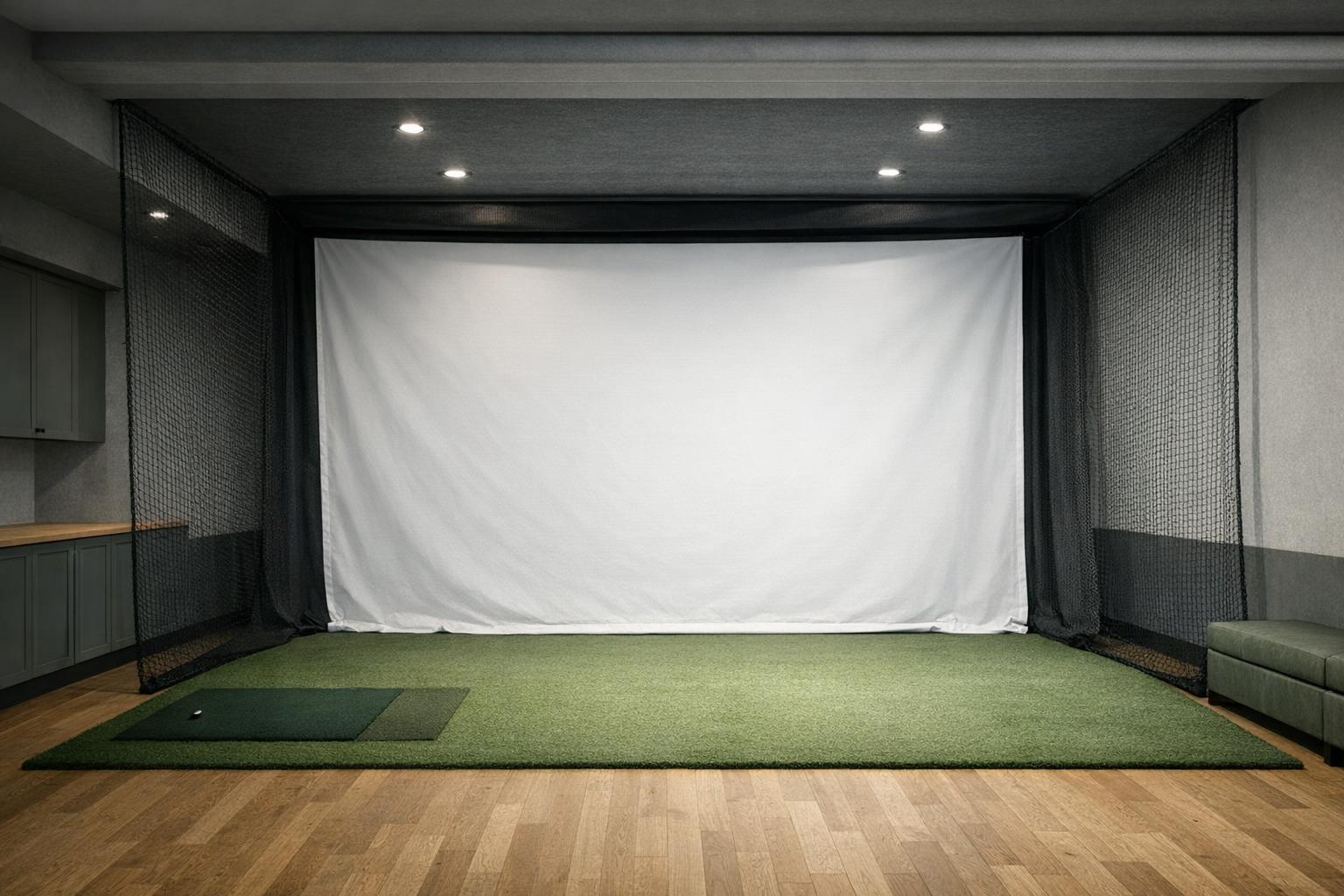
With the depth sorted, decide what catches the ball. A good net is the cheapest answer and perfectly fine if you're happy reading numbers on your phone. If you want to see the course, you need an impact screen and something to hold it, and this is where garage builds either look great or look like a bedsheet on a broom handle.
The Anything Sports Simulator Enclosure is the #1 of our simulator accessories ranking at 9.2/10, from 183 buyer reviews averaging 4.5/5. Its listing covers the bits people forget: a 4K-ready impact screen sized just 1 inch smaller than the frame, a blackout cage, side shank nets, frame poles, a projector mount and a choice of cage sizes, plus a 12-month warranty. It's also upfront about what isn't in the box: the turf and the projector in the photos. It was $699.99 on Nov 18, 2026, and prices may have changed since.
Already have a frame or a net? The GoSports Golf Impact Screen lists a 108 x 82.5 inch impact screen sized to fit the GoSports 10 x 7 ft Elite net, for $149.99 on the same date. Whatever you choose, put its footprint on your floor plan and check that the monitor, the tee and the screen still sit 14 to 16 feet apart.
Phone, tablet or projector
For a first season, the phone is enough. The R10 ships with a phone mount that attaches to a golf bag, so the numbers sit at eye level beside you instead of on the floor, and the battery is rated for up to 10 hours. Hitting into a net and checking carry and ball speed between shots is a perfectly good way to start, and it tells you quickly whether the bay gets used before you buy the expensive half.
The projector is the upgrade that turns practice into a round. It hangs above or behind you, throws the course onto the impact screen and needs its own power and cable run. The enclosure above includes a mount; the projector, and whatever sends it the picture, are separate purchases. Draw the cables on paper before you drill, and keep them out of the swing path and out of the line between the monitor and the ball.
Line it up: tee, red line, target
Direction numbers only mean something if the monitor points where you're aiming. Garmin's manual lines up the R10's red alignment line with the tee and the intended target, and notes that ball and club angles are read against a target line parallel to it.[1] In a garage, the target is the middle of the screen: mark it with a small dot, mark the tee with tape, and both come back to the same place every session.
Level matters as much as aim. A monitor tilted on a thick mat or a sloping slab reads every shot through that tilt. The listing claims plus or minus 1 mph on ball speed, 3 mph on club head speed and 1 degree on launch angle and launch direction, and a sloppy setup can easily cost you more than that. Our launch monitor alignment guide has a short reset routine for when someone kicks the monitor between shots.
Is a Garmin R10 stand worth it?
A stand does two jobs: it lifts and levels the R10 on its own feet, and it gives you an aiming aid you can repeat. If the bay stays set up all winter, a simple stand and an alignment stick are enough. If the monitor goes back in the bag after every session, a laser saves a lot of squinting down the line. Here are the R10 stands in our catalogue, with the prices we recorded on Nov 18, 2026 (they may have changed):
- Claire's Prints Garmin R10 Laser Stand ($74.99): version 2.0 in UV and heat resistant ASA, brass threaded inserts, a large bubble level and a USB-C rechargeable laser. The listing admits the laser is harder to see in bright sunlight, which won't bother you in a garage.
- Garmin R10 Alignment Stand, Stand Only ($34.99): molded nylon, metal screws and threaded inserts, heat proof and adjustable up to 2 inches, with 92 buyer reviews averaging 4.1/5. The laser cube and the alignment stick are both sold separately.
- Tower Golf R10 Alignment Stand ($67.50): injection-molded nylon, a rechargeable green laser and a large bullseye level, with 48 buyer reviews averaging 4.4/5.
- Garmin R10 Stand for Ryobi ELL1501 ($38.95): a bullseye level, a measuring stick, swivel feet and up to 3 inches of lift, built around a Ryobi ELL1501 line laser that you buy on its own.
For a garage bay that gets packed away, we'd take the Claire's Prints: the laser and the big level are the two things you reach for every single session. On a tight budget, the stand-only model plus the alignment stick you probably already own does the job.
Your R10 bay, in the order we would buy it
- Measure: 6 to 8 feet behind the tee, at least 8 feet in front of it, and a full swing in every direction.
- The Garmin Approach R10, $499.99 on Nov 18, 2026, plus the yearly Garmin Golf subscription if you want courses.
- A hitting mat and a net, or an impact screen in an enclosure such as the Anything Sports at $699.99.
- A stand, from $34.99 to $74.99 in the list above.
- A projector, last, once everything else works.
Monitor, enclosure and stand come to about $1,235 to $1,275 at the prices we recorded, before the mat, the projector and the subscription. The cheaper route is the R10 with a net and a mat this winter, and the screen next season. Still choosing the monitor itself? Our best launch monitors for golf simulators ranks the R10 #2 of 5 at 7.9/10, and the simulator accessories ranking covers the screens, cases and stands around it.
Our rated picks
The three best-rated models of our best launch monitors for golf simulators ranking, from buyer reviews and the listed specs.


Product images: Amazon listings
Frequently asked questions
Can you use the Garmin R10 as a golf simulator?
Yes. The listing says it works at home, indoors or on the driving range, and with an active subscription and the Garmin Golf app it plays virtual rounds on over 42,000 courses. Around it you need the room the manual asks for, something to stop the ball (a net or an impact screen) and, for the full picture, a projector.
How much space do you need for a Garmin R10 simulator?
Garmin's manual asks for 6 to 8 feet between the monitor and the tee and at least 8 feet from the tee to an indoor net, so plan on 14 to 16 feet (about 4.3 to 4.9 metres) from monitor to screen, plus whatever space your enclosure needs behind the screen and a full swing for the tallest player.
What apps work with the Garmin R10?
The listing pairs every feature with the Garmin Golf app on a compatible smartphone: swing and ball data, training mode with a dispersion chart, swing video clips and, with a subscription, virtual rounds and a weekly tournament. It doesn't name any third-party simulator program, so check that program's list of supported monitors before you buy.
Do I need a subscription for the Garmin R10?
The listing ties the virtual rounds on over 42,000 courses and the weekly tournament to an active subscription. The swing data, training mode and video clips are described with the Garmin Golf app, without a subscription mention. If you want to play courses, count the membership as part of the price.
What is Garmin Home Tee Hero?
It's the name Garmin gives its virtual rounds on the listing of the Approach R50: up to four players on more than 43,000 courses, with an active Garmin Golf membership. The R10 listing describes its version as virtual rounds on over 42,000 courses with an active subscription.
Do I need a stand for the Garmin R10?
Not strictly, but it makes leveling and aiming quicker and repeatable, especially if you set up and pack away every session. The R10 stands in our catalogue ran from $34.99 to $74.99 on Nov 18, 2026 (prices may have changed); laser models save the most time.
Sources and further reading
- Garmin Approach R10 Owner Manual: Preparing for a Shot (manufacturer documentation):
red alignment line
- Garmin Approach R10 (product listing):
play virtual rounds on over 42,000 courses around the world
- Anything Sports Simulator Enclosure (product listing):
precision-sized just 1 inch smaller than the frame
- Claire's Prints Garmin R10 Laser Stand (product listing):
USB-C Rechargeable Alignment Laser